Editor windows
One main window with four tabs, a setup wizard, and inspectors that preview instead of making you guess. Menu root: Window ▸ NullBolt ▸ Item Generator System.
The menu map
| Menu entry | Description |
|---|---|
| Open Window | The main 4-tab window (Generate / Templates / Browser / Configuration). |
| Setup Wizard | The four-step first-run wizard — re-runnable any time. |
| Generate Example Content | Regenerates the full example set (your Icons folder is preserved). |
| Build Demo Scene | Procedurally rebuilds Demo/DemoScene.unity. |
| Regenerate Demo Fonts | Rebuilds the demo’s SDF font atlases via the Font Asset Creator. |
| Check Required Packages | Re-runs the UPM dependency check. |
Generate tab
Covered in the quick start: template or type+sub-type selection, rarity, seed control (random or fixed), batch slider up to 100, and an output-folder field. Preview rolls without saving; GENERATE writes ItemDefinition assets and pings them. Invalid setups print a readable reason in the preview pane ("Cannot generate: Select a Rarity.") instead of failing silently. The preview card is rendered with the same palette and layout as the runtime demo card — what you preview is what players see.
Templates tab
A searchable list of every ItemTemplate with a full embedded inspector — + New Template creates one without leaving the window. Detailed on the content page.
Browser tab
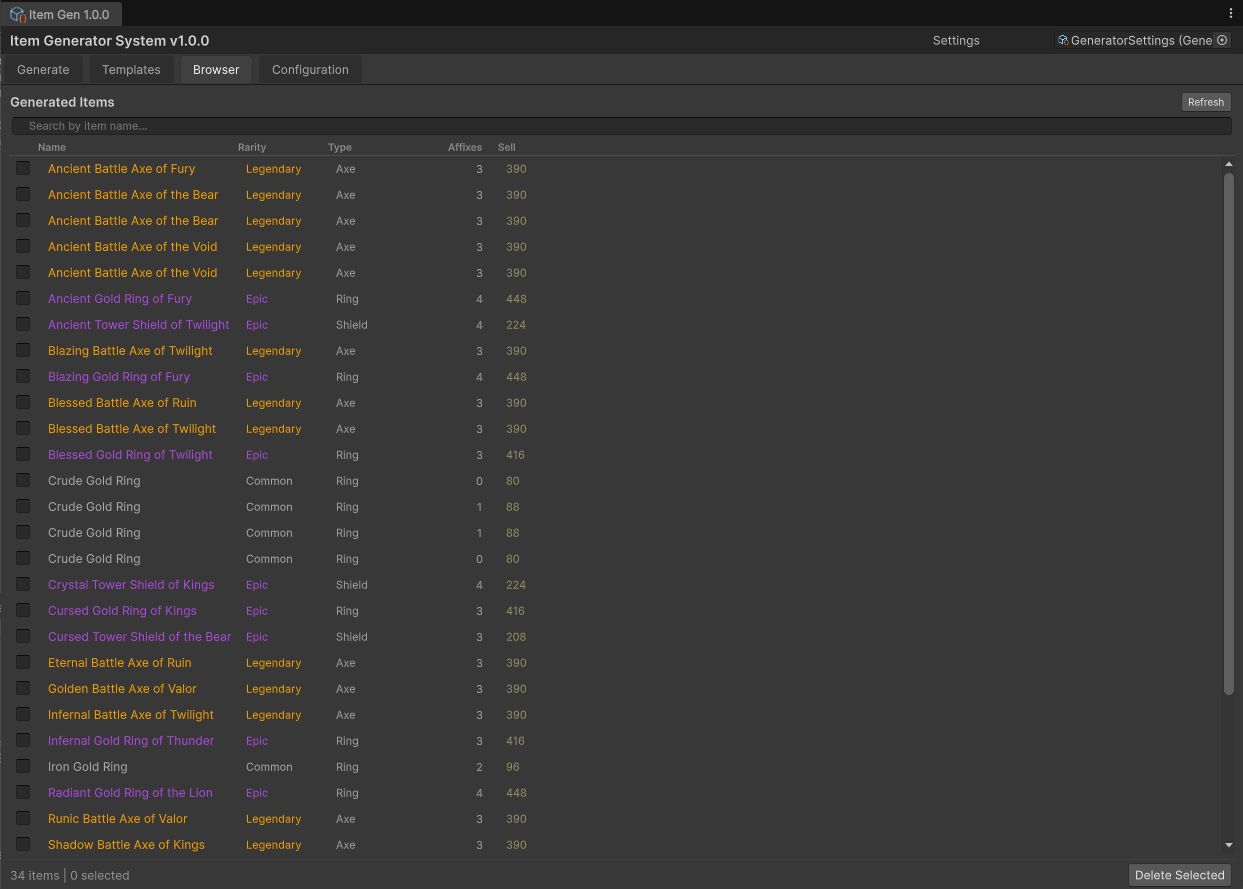
Every generated ItemDefinition in the project, as a table: rarity-colored name (click to ping), rarity, type, affix count, and sell value, with name search and multi-select. Delete Selected removes assets after a confirmation — that delete is not undoable, it's a real AssetDatabase deletion.
Configuration tab
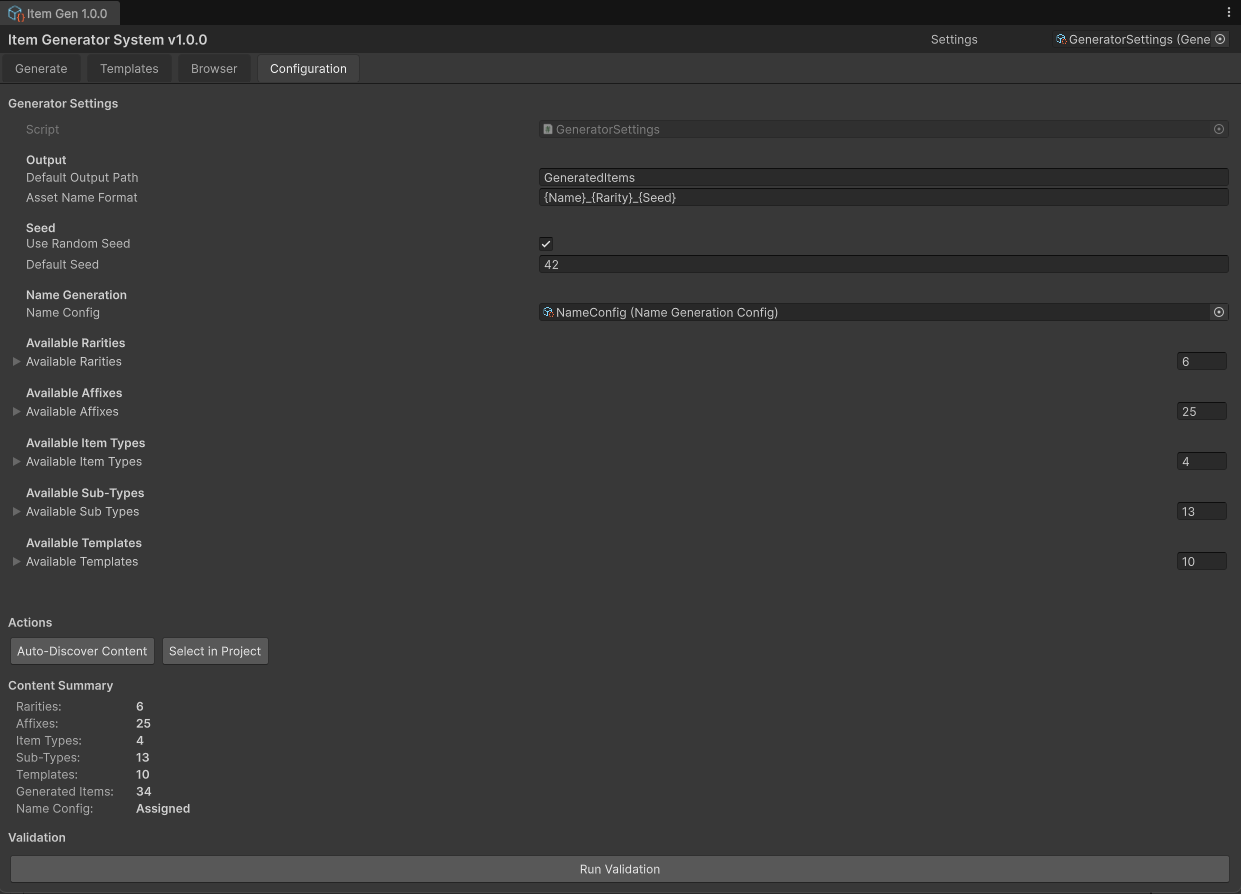
Home of the GeneratorSettings asset: an embedded inspector, a content summary (counts per definition kind), and the two buttons you'll actually use — Auto-Discover Content (scans the project and registers every stat, rarity, type, sub-type, affix, template, and name config) and Run Validation, which lists color-coded errors/warnings with click-to-ping.
Custom inspectors worth knowing
| Asset | Description |
|---|---|
| ItemDefinition | Renders the full Diablo-style card in the inspector, plus a read-only Generation Metadata foldout (seed, version, timestamp, source template). |
| ItemSubTypeDefinition | A "Resolved Inheritance Preview" foldout showing exactly what generation will use after inheritance resolves. |
| ItemTypeDefinition | Lists every sub-type using this type, with Select buttons. |
| RarityDefinition / AffixDefinition / ItemTemplate | Color-coded headers and summary boxes — affix count, gating, allowed rarities — before the default fields. |
The demo scene
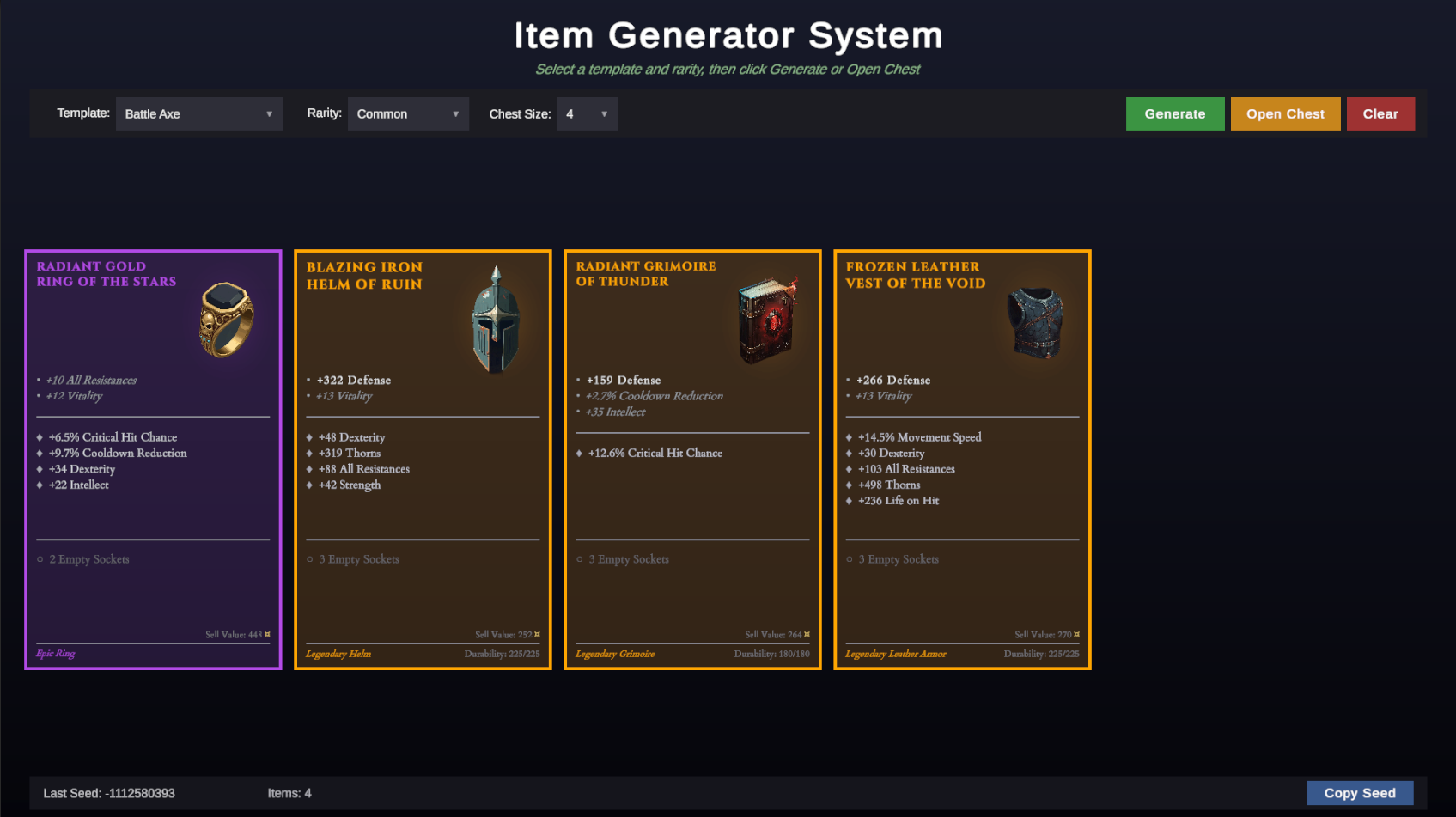
Demo/DemoScene.unity is the runtime showcase: template / rarity / chest-size dropdowns, Generate for one item, Open Chest for a 4–16 item haul, Copy Seed to put the last seed on your clipboard, and a status strip showing seed + count. It reads templates from your GeneratorSettings at runtime, so it stays current after you regenerate or add content. The chest roll pairs templates with compatible rarities automatically (a template without a legendary effect never rolls a legendary-requiring tier).